LeetCode 292. Nim Game

You are playing the following Nim Game with your friend: There is a heap of stones on the table, each time one of you take turns to remove 1 to 3 stones. The one who removes the last stone will be the winner. You will take the first turn to remove the stones.

Both of you are very clever and have optimal strategies for the game. Write a function to determine whether you can win the game given the number of stones in the heap.

For example, if there are 4 stones in the heap, then you will never win the game: no matter 1, 2, or 3 stones you remove, the last stone will always be removed by your friend.

思路:
设甲乙一人一次为一轮。进行了很多轮之后,让甲选的时候,如果是1,2,3那就可以通过。如果是4一定不能赢,所以如果是5,6,7可以想办法分别取1,2,3让乙来一定不能赢,所以5,6,7甲是可以赢的。
如果是8,则无论甲选任何个数,都能让乙来面临7,6,5这些必赢的选项所以甲一定输。
如果是9,10,11,则甲可以通过让乙来面临8来一定输。
如果是12,则甲无论选取任何个数,都能让乙面临9,10,11这样的一定可以赢的数字,所以12让甲必定输。
以此类推发现规律,在4或者4的倍数的时候,甲无论怎样一定输。
所以就简单一句:return n % 4


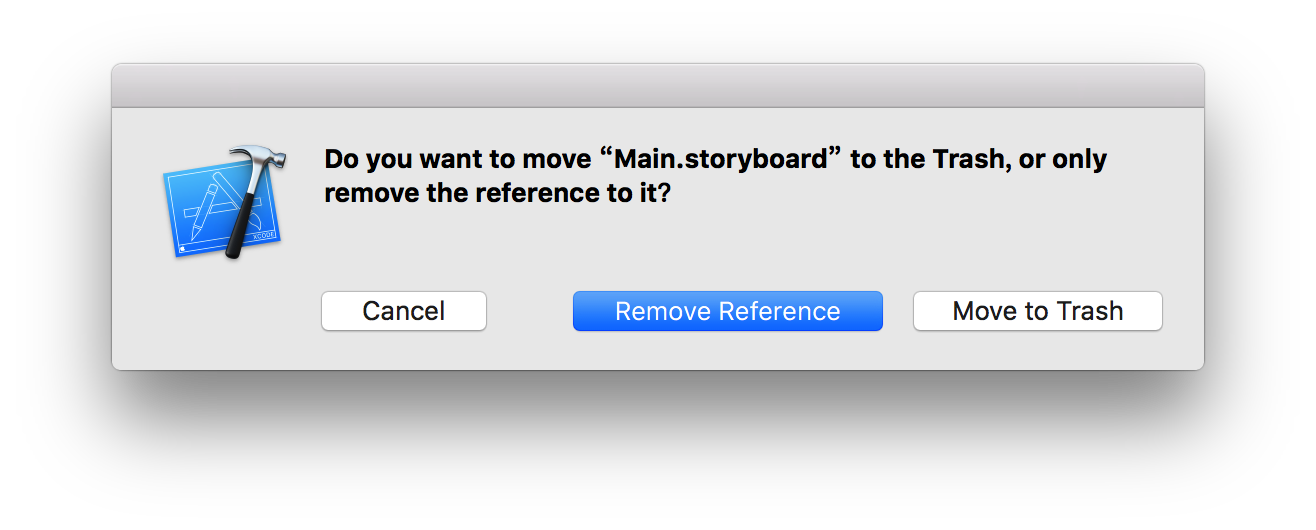
iOS开发:remove reference与move to trash的区别

remove reference:删除引用//工程文件夹里依然有这个文件

move to trash:彻底删除这个文件//彻底扔到了垃圾箱里

Basically if you check “Copy to project” when adding the file, you should chose “Move to trash” when deleting, otherwise pick “Delete references”. This latter option will leave the file in place and just remove the reference to it

Snip20160323_206

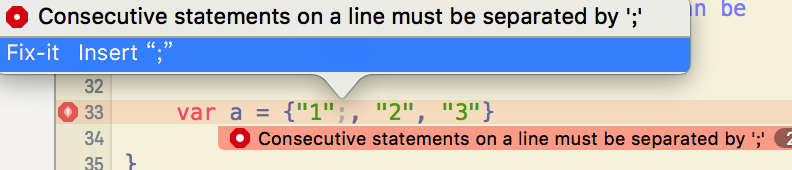
报错: Consecutive statements on a line must be separated by ‘;’

有一种报错叫做:Consecutive statements on a line must be separated by ‘;’

有各种各样的原因。。比如。。

1.三目运算符的?和>的前面没加空格

2.末尾多加了一个半括号

Snip20160323_200

3.数组写成了花括号{}

Snip20160323_201

改成:

4.比如 as 后面多加了个‘!’都会被这个报错。。


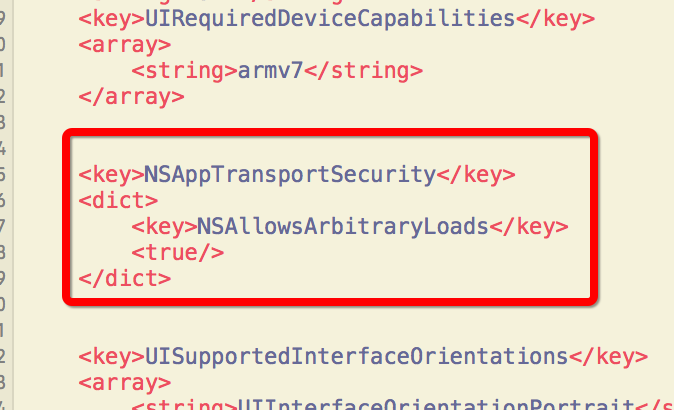
解决办法:Transport security has blocked a cleartext HTTP (http://) resource load since it is insecure. Temporary exceptions can be configured via your app’s Info.plist file.

从iOS9起,新特性要求App访问网络请求,要采用 HTTPS 协议。
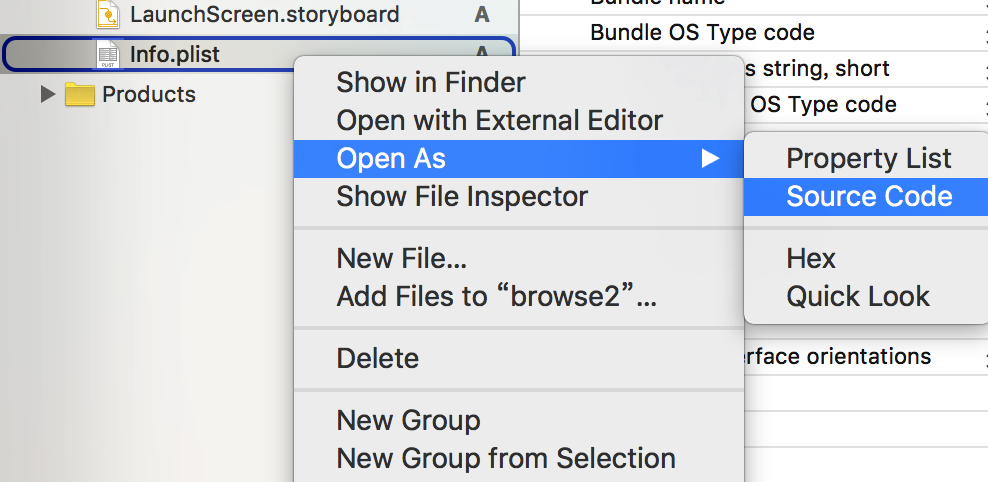
但是还是可以通过修改 plist 文件暂时可以允许 http 访问

Snip20160323_192

添加如下代码:

然后保存就可以了。

Snip20160323_196

运行 iOS 模拟器中的 App 后显示空白-warning:Unsupported Configuration: Scene is unreachable due…

错误警告码是:warning: Unsupported Configuration: Scene is unreachable due to lack of entry points and does not have an identifier for runtime access via -instantiateViewControllerWithIdentifier:.

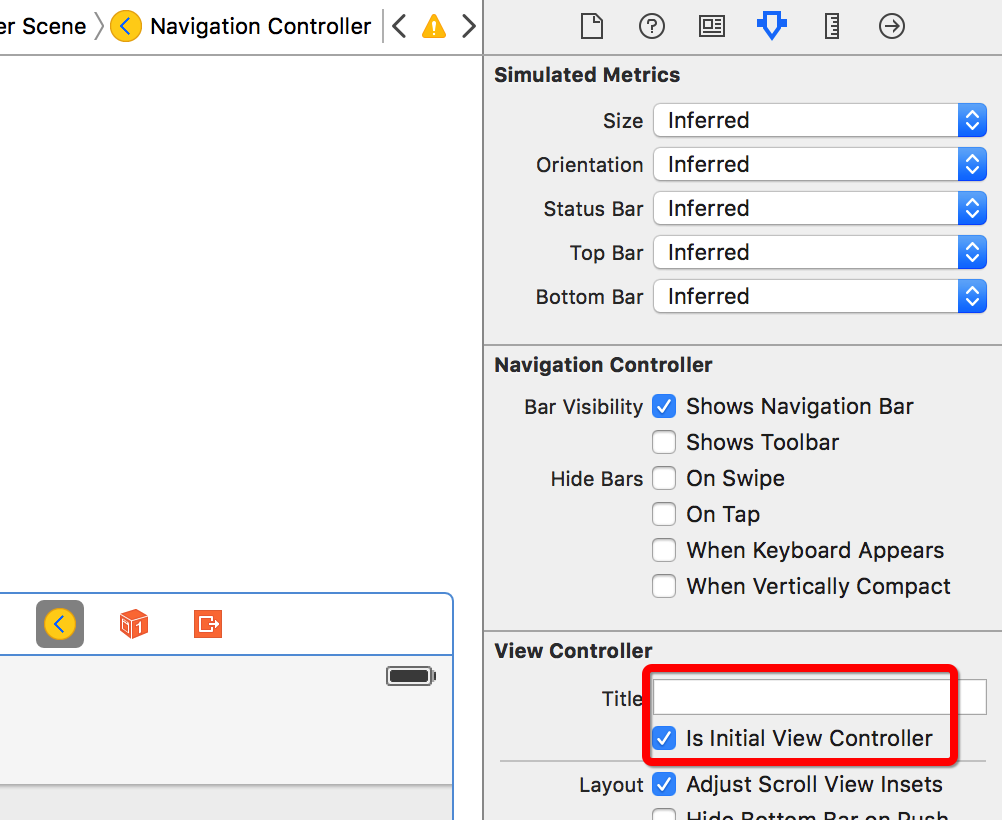
错误原因是没有设置初始化进入的视图控制器

在你的StoryBoard中没有一个view controller设置了Initial Scene~

就是没有设置 Viewcontroller 右边的那个小箭头~

所以 要在 storyboard 里面 点击想要在刚进入时候显示的 Viewcontroller,属性检查器中找到Initial Scene ->选择 Is Initial View Controller(o^∇^o)ノ 

Snip20160321_158